
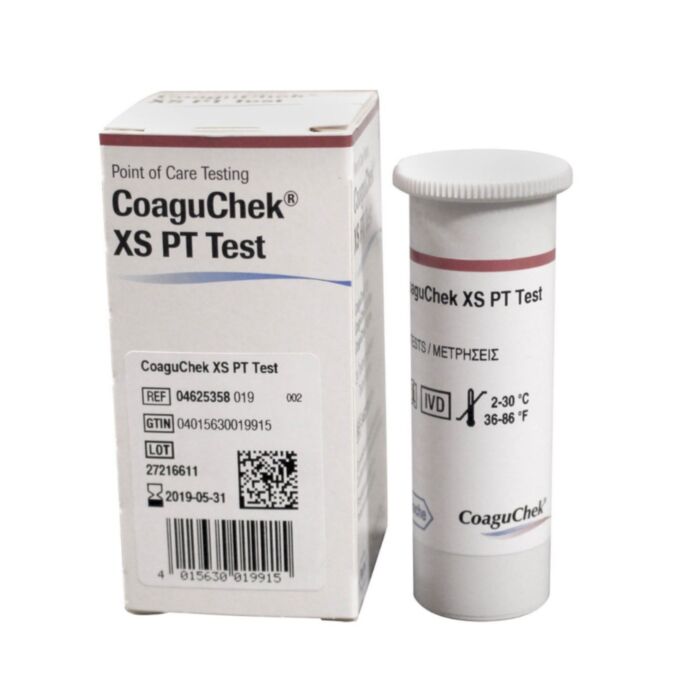
CoaguChek XS PT Test - 24 strips
The CoaguChek XS PT Test strips are an essential component of the CoaguChek XS System, designed to measure blood-clotting time for individuals taking anticoagulation medications such as Coumadin® or warfarin. The system enables patients to self-test using a simple fingerstick method, ensuring accurate and timely INR monitoring.
These test strips are intended for use by properly selected and trained individuals or caregivers under the prescription of a healthcare professional. Users must be stabilized on their anticoagulation medication before beginning self-testing with the CoaguChek XS System.
Storing the Test Strips
- Always store the test strips in their original container with the cap tightly closed.
- Test strips can be stored at room temperature or in the refrigerator (2-30°C or 36-86°F).
- Use the test strips before the expiration date printed on the box and container.
- Discard any test strips past their expiration date.
Handling the Test Strips
- Remove one test strip from the container just before testing and close the container immediately.
- Use the test strip within 10 minutes of removal to avoid errors.
Ensure the meter is placed on a stable, flat surface during testing to avoid errors.
Step 1: Preparing for the Test
- If using test strips from a new box, insert the corresponding test strip code chip. The three-number code on the test strip container must match the code on the chip.
- Follow the instructions in the CoaguChek XS System User Manual to install the chip.
Step 2: Obtaining a Blood Sample
To ensure proper blood flow for the test:
- Warm your hands by holding them under your arm, using a hand warmer, or washing them with warm water.
- Keep your arm down so your hand is below your waist.
- Massage your finger from the base toward the tip to increase blood flow.
Step 3: Performing the Test
- Wash hands with warm, soapy water and dry them thoroughly.
- Remove one test strip from the container and close the lid tightly. Do not touch the strip with wet hands or gloves.
- Insert the test strip fully into the meter. The meter will power on automatically.
- Confirm the displayed code matches the test strip container. If incorrect, verify you are using the correct code chip or contact Roche Diagnostics Technical Service at 1-800-428-4674.
- Wait for the hourglass symbol to disappear (about 30 seconds).
- When prompted, use the lancet to perform a fingerstick. Set the depth to 5.
- Within 15 seconds of lancing, apply one drop of blood to the target area on the test strip.
- Hold the blood drop against the test strip until the meter beeps.
- The meter will analyze the blood sample, and the result will appear within one minute.
- Verify that the measuring unit next to the result is INR. If the result is in %Q or Sec, reset the unit using the instructions in the CoaguChek XS System User Manual or call Roche Diagnostics Technical Service for assistance.
- Record the result and inform your doctor.
- Dispose of the used lancet and test strip properly.
- Turn off the meter.
If a retest is needed, use a new lancet, a new test strip, and a different finger.
Limitations of Use
The CoaguChek XS System should not be used for patients treated with direct thrombin inhibitors such as Hirudin, Lepirudin, Bivalirudin, and Argatroban. The system is designed for use with fresh capillary blood from a fingerstick and requires a minimum of 8 μL of blood. Low sample volume will result in an error.
Avoid testing from an arm receiving intravenous infusion therapy. INR results may be affected in patients with:
- Anti-phospholipid antibodies (APAs), such as Lupus Anticoagulants, leading to false-high INR values.
- Direct Oral Anticoagulants (DOACs), including rivaroxaban, apixaban, edoxaban, betrixaban, and dabigatran. These results should be confirmed with a laboratory test.
- Treatment with certain medications like protamine sulfate, oritavancin, or calcium dobesilate.
Other medications, including antibiotics and over-the-counter pain relievers, may impact INR results. If you start new medication, it is advisable to monitor INR levels more frequently.
Very Low or High Test Results
The CoaguChek XS PT Test strips provide results between 0.8 and 8.0 INR.
- If the meter displays a result less than 0.8 or greater than 8.0, confirm that the measuring unit is set to INR.
- If the measurement unit is correct, repeat the test. If the same reading occurs, consult your doctor immediately.
Common Errors and Troubleshooting
If an error occurs during testing:
- Ensure the blood sample is at least 8 μL.
- Verify test strips are used within 10 minutes of removal from the container.
- Check the meter’s date and time settings.
- Clean the test strip guide if dirty.
Certain medical conditions, including treatment with vitamin K antagonists combined with antibiotics or chemotherapy, may cause sporadic errors. In rare cases, patients with abnormal clotting times may receive an "Error 6" or "Error 7" message. If this occurs repeatedly, consult your physician and use an alternative test method.
For other error messages, refer to the CoaguChek XS System User Manual or contact Roche Diagnostics Technical Service.
Built-in Quality Control
The CoaguChek XS System has an internal quality control mechanism that runs automatically with each test. This ensures that no additional quality control tests are needed. For more details, refer to the CoaguChek XS System User Manual.
Disclaimer: While we strive to provide accurate and up-to-date information, we are not responsible for any discrepancies or issues that may arise. The information provided should not be used as a substitute for professional medical advice. Always consult your physician or a qualified healthcare provider for any questions you may have regarding a medical condition or treatment.
Expires 31-10-2020